JobsKru For educators
Educators can now write articles, follow each other and get notified
Share what you know with other teachers, follow the educators and schools you care about, and hear about new articles and jobs on JobsKru or by email.
By Admin Hassadee Published: 3 min read
Today’s update makes JobsKru more than a place to find your next teaching job. Educators can now publish their own articles, follow other educators and schools, and choose exactly how they hear about new articles and jobs. Here is what’s new, and how it helps you.
Write and publish your own articles
Open My articles from your account menu and choose Write an article. The editor works like a word processor: headings, bold and italic text, bulleted and numbered lists, quotes and links, plus an optional cover image. Save a draft as often as you like, and publish when you’re ready.
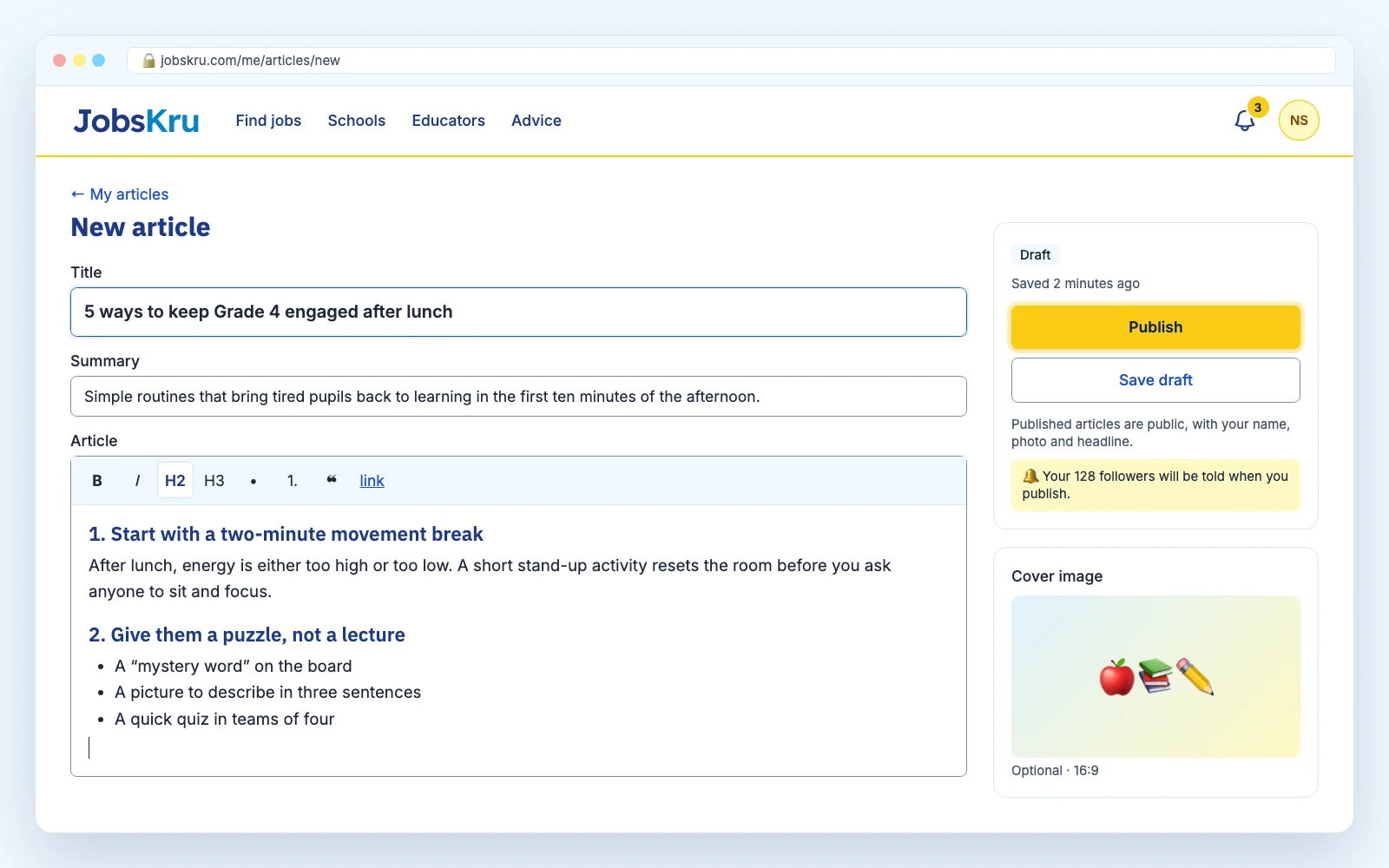
Your article goes live straight away at its own address. It appears on your profile and in the new From educators tab on the JobsKru blog. JobsKru stores every article as clean Markdown, so it reads well everywhere: in search engines, in AI tools and on any screen.
Why write on JobsKru?
- Show schools how you teach. A thoughtful article about a lesson that worked tells a school more than a list of qualifications, and schools that open your profile see your articles too.
- Build your reputation. Every article carries your name, photo and headline, and readers can follow you from it.
- Help other teachers. Lesson ideas, classroom stories and career advice are exactly what new teachers in Thailand and across Asia are looking for.
Follow educators and schools
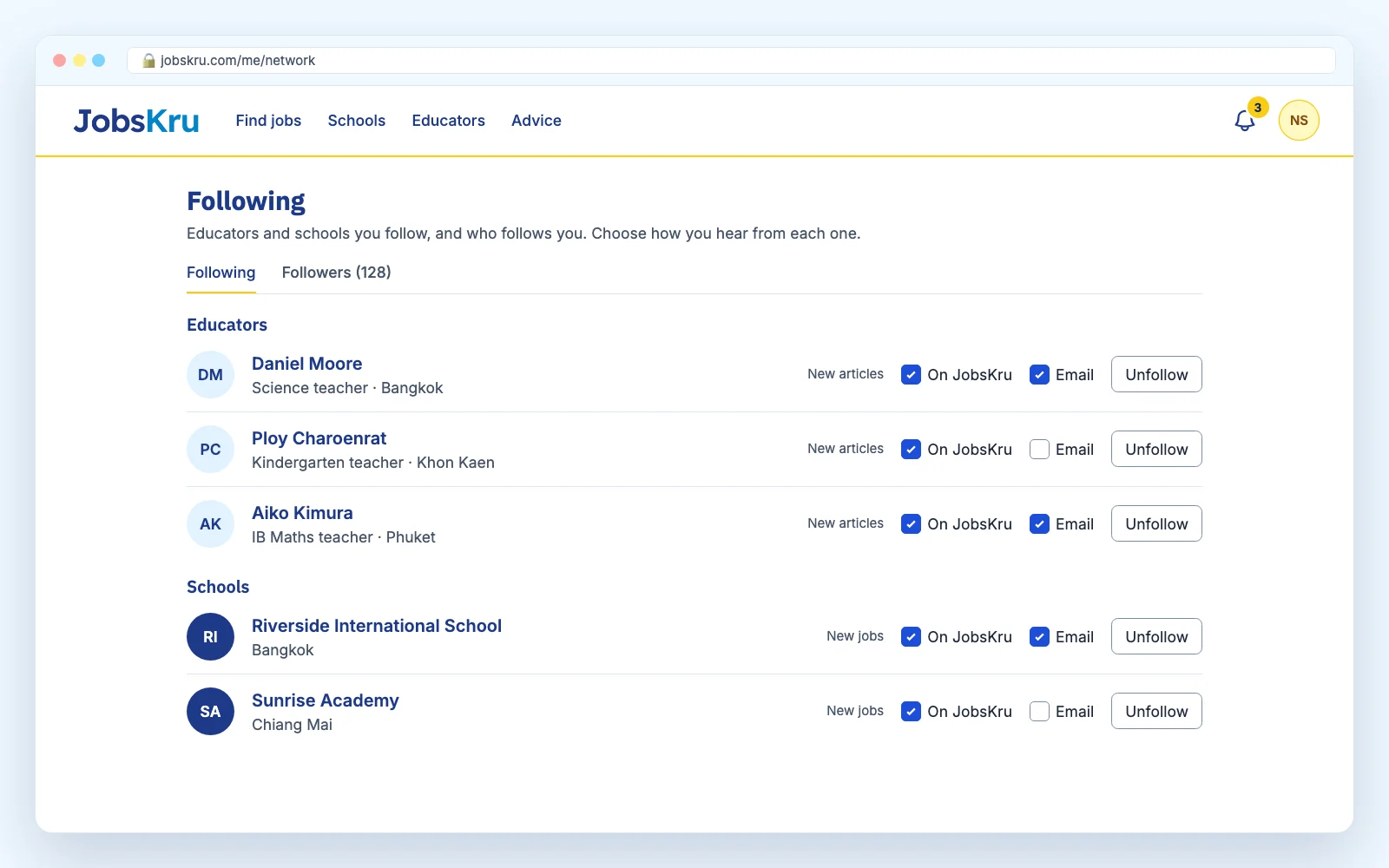
Every article and educator profile now has a Follow button. Follow the educators whose ideas you want to read, and keep following the schools you’d like to work for. Your profile shows how many people follow you and how many you follow.
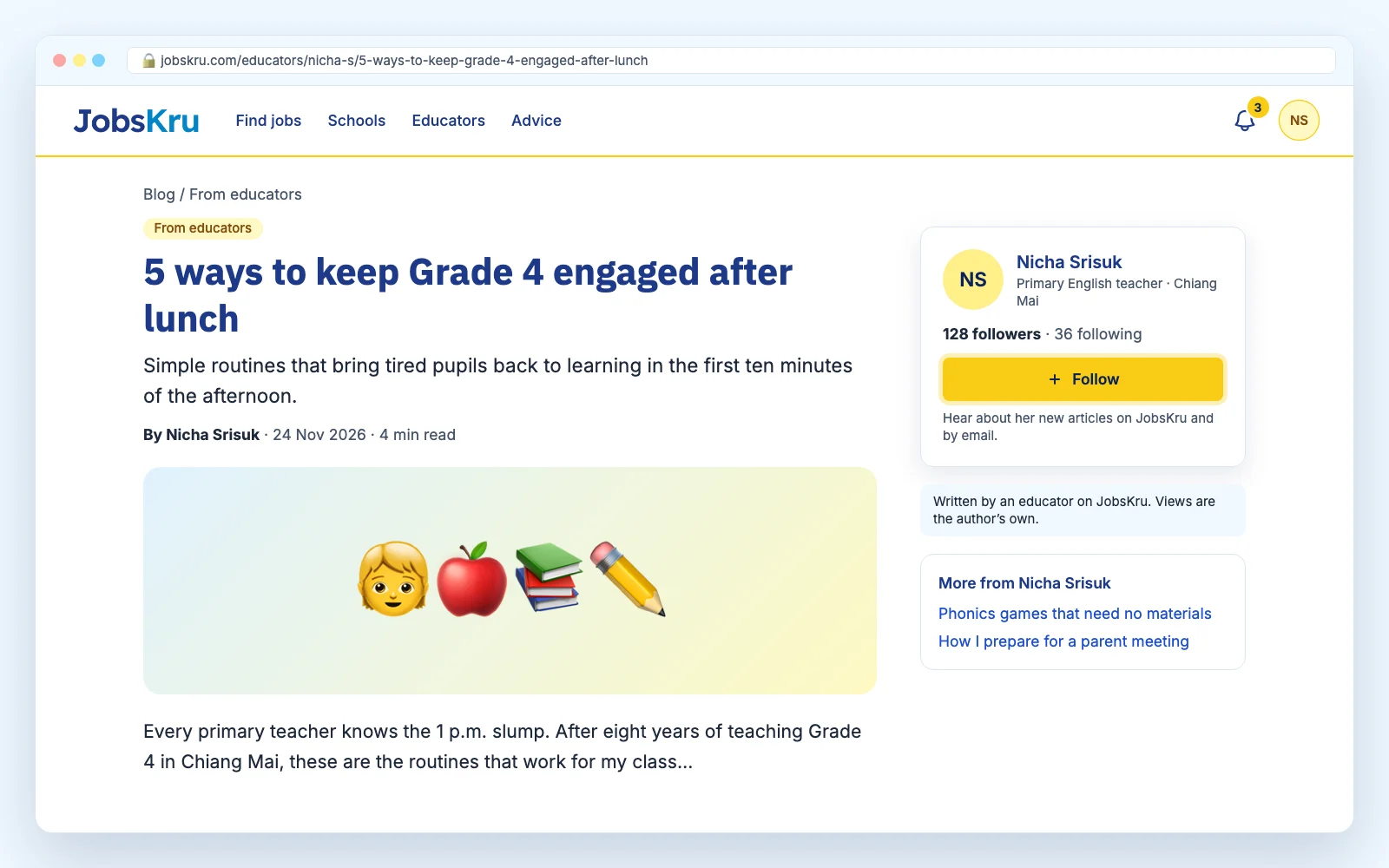
The new Following page in your account menu brings it all together: the educators and schools you follow, and the people who follow you, with a Follow back button. If a follower keeps their profile private, we show them without their name.
Choose how you hear about new articles and jobs
For every educator and school you follow, choose On JobsKru, Email or both. You can hear about:
- new articles from the educators you follow;
- new jobs at the schools you follow;
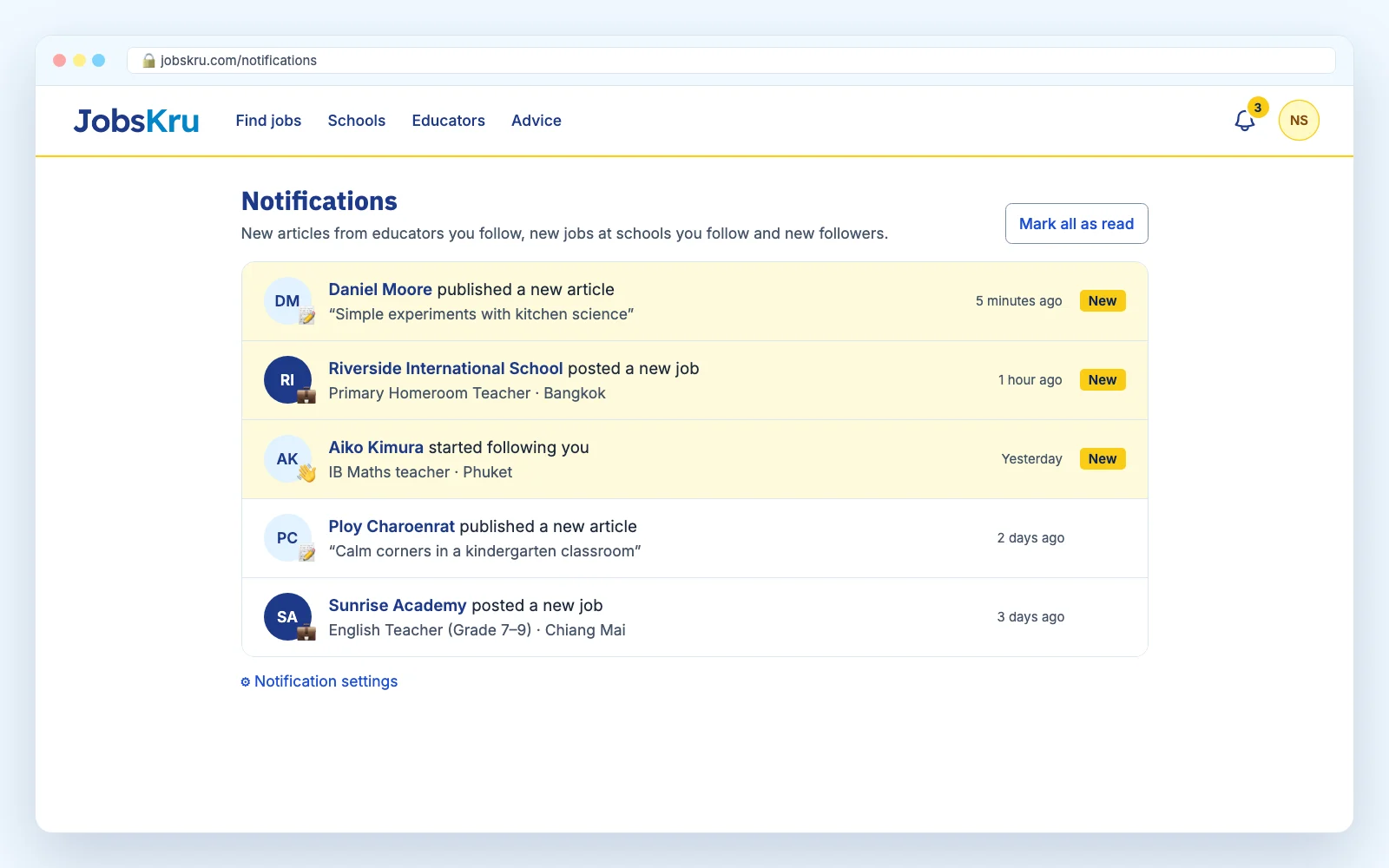
- new followers (set this in Settings → Preferences).
When you’re signed in, a bell in the menu shows how many notifications you haven’t read. Open it to see everything in one place, newest first. Every email about a new article also has a one-click link to stop emails from that educator, and you still follow them on JobsKru.
More improvements for educators
- Profile strength. A bar on your profile shows how complete it is and what to add next. Schools are more likely to contact educators with a full profile.
- A clearer search on the Educators page, with keyword, subject and location together in one box.
- A tidier menu. Signed-in educators no longer see “Advertise a Job”, which is for schools.
Keeping it a good place to read
Articles must be your own work, with no job ads and no personal information about students. Any signed-in member can report an article. The JobsKru team reviews every report and can hide articles that break these rules.
Get started
Sign in, open My articles and write your first one: a lesson idea, a classroom story or the advice you wish someone had given you in your first year. Then read the articles from educators and follow the people whose ideas you like.
Have an idea that would make JobsKru better? Tell us. We read every message. You can see every change on our What’s new page.